







































Prerequisites
- A Trello account
- A board in Trello, with at least one list
- The ID of the list where cards will be created. Refer to this article to locate it.
- A Botpress Cloud account and a Botpress Bot
Setup in Botpress
- Go to the Integration Hub in Botpress Cloud (if you don’t have the integration installed yet).
- Find and open the Trello integration then click on the “Install to Bot” button, now go back to your bot settings.
- Enabled: Whether Botpress will communicate with Trello
- Webhook URL: The URL for receiving data in Botpress
- API Key: The API key for the Trello Power-Up
- Token: The token for the Trello Power-Up
Setup in Trello
- Visit the Power-Ups Admin Page and click the New button to obtain the API key. Name the Power-Up as “Botpress Connector”, fill in the email and author fields, then click Create.
- Once the Power-Up is created, you will be redirected to API Key settings page, displayed below. Generate a new API key, then copy and paste this key into the API Key field in Botpress.
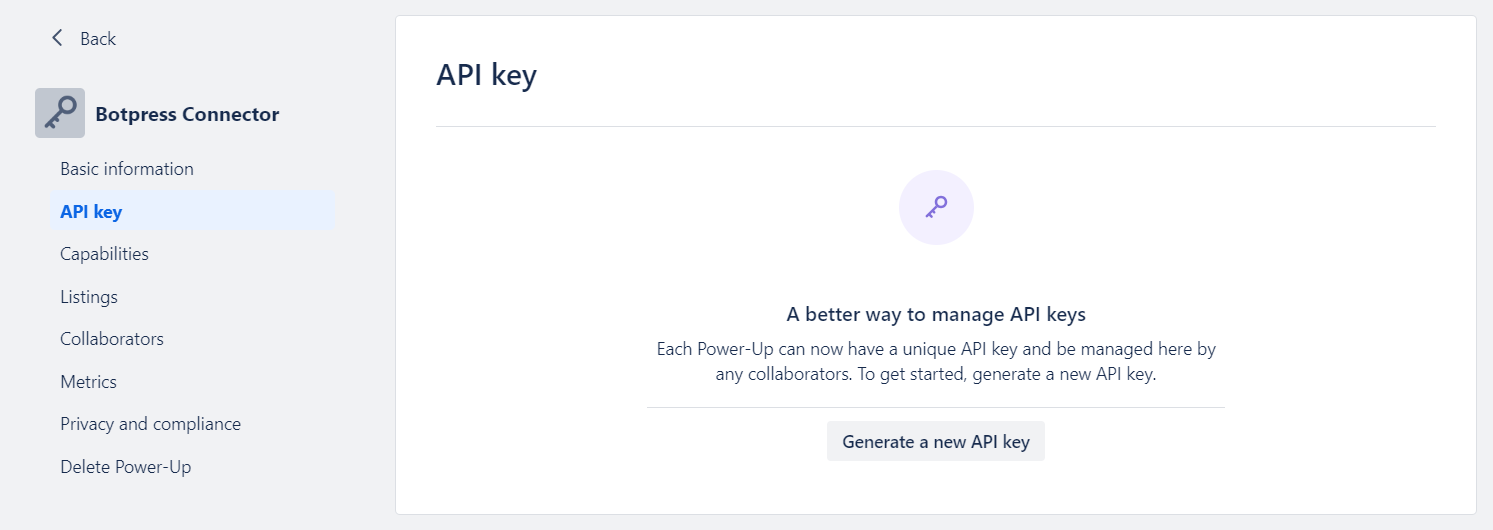
- Click on the “Token” link (marked in the image below) and authorize the Power-Up access to your Trello account by selecting Allow.
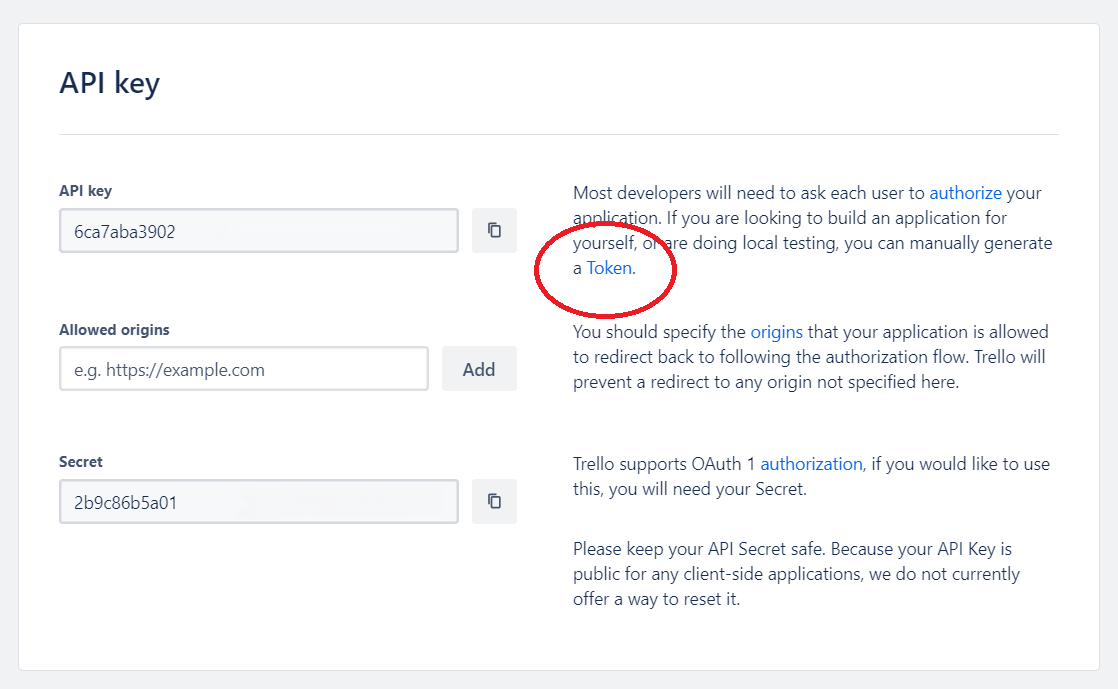
- After authorization, copy the displayed token and paste it into the Token field in Botpress.
- Make sure the integration is enabled then press the button “Save configuration”.
Cards
Here’s a reference for all Cards available with the integration:Add card comment
Create new card
Delete card
This Card has no output.
Get all board members
Get all boards
This Card has no input fields.